Clear Cart
Product Title
Add-On
Product Metafield Value
Option 1 / Option 2 / Option 3
Product Note
Subscription Plan Info
Product Discount (-$0)
COUPON1 (-$0)
$0
$0
-
+
Your cart is Empty. There must be something you'd like to add!
In the next sections the different types of standard EHA builds (Megacade, Classic, Stealth, Pedestal, GameBox, Table Top, and Cocktail Table) will be discussed in detail. Before those are covered, it is helpful to discuss the many build options you have, no matter the type of machine you are considering.
When you are selecting options for your EHA machine there are no “right” or “wrong” answers. All of the machines have the same basic computer hardware and software (with some minor differences), will play the same games (thousands and thousands) and last for years. The type of cabinet you get, along with the many options on the machine (joysticks, buttons, etc.) largely comes down to your personal preference. Do you like the “classic” style of cabinet, reminiscent of the 80’s, or do you like the newer look of the Megacade/Stealth? Do you like solid color buttons/joysticks on your machine or do you like the look of lighted ones? If you are going with lighted buttons do you like a plain lighted (1 color) button or do you want to spend the extra money for RGB buttons that can display any color? Again, there is no right or wrong answer, it comes down to your (and your family’s) preference and your budget. For example, someone might like 4 spinners on their machine to play a particular game they loved playing with friends growing up. Most EHA customers would not want this, but EHA can accommodate most requests like this – it just comes down to your tastes and wishes. To extent possible, this guide will try and give you all the facts so you can make your own informed decisions.
Below are photos of each EHA machine type. The options available for the machines are then covered.


Joystick/Control Panel Shape – Standard or “Battleship”
On Megacades, Stealths, Pedestals and GameBoxes you have the option of choosing a “standard” joystick/control panel shape or a “battleship” shape. If you do not specify you will receive a standard shape. See photos below.
The “Battleship” style joystick/control panel is currently very popular. This is particularly appealing to users that enjoy playing visual pinball games. On a standard 4-play joystick/control panel the player uses Player 1’s buttons to plunge the ball, press the flippers and “nudge” the machine. While this functionally works fine, it does not mimic the feel of a real pinball machine. With a “battleship” style joystick/control panel the flipper buttons are put on the side of the machine (see yellow arrows in photo below). The plunger button is the big red button under player 3’s buttons (see red arrow in photo below). This creates a more realistic pinball feel. There is an extra cost for the “battleship” joystick/control panel.
Note: all 2-player machines come standard with flipper buttons on the side of the joystick/control panel.


You have the option of customizing your button layout on your joystick/control panel. In a standard layout, Player 1 and 2’s button are stacked together with 2 sets of 4 buttons directly beside and on top of each other (on the machines they are slightly arched). You can have any button configuration you would like, but the Scantron button configuration is very popular. In a standard button configuration the button numbers are like this:
1 2 3 7
4 5 6 8
In the Scantron button layout, buttons 7 and 8 are below and to each side of buttons 4 and 6 (see diagram below). The Scantron button configuration is popular if the user plays a lot of fighting games like Mortal Kombat. In addition, the configuration is easier for many players to use. There is no extra cost for the Scantron Button Configuration.

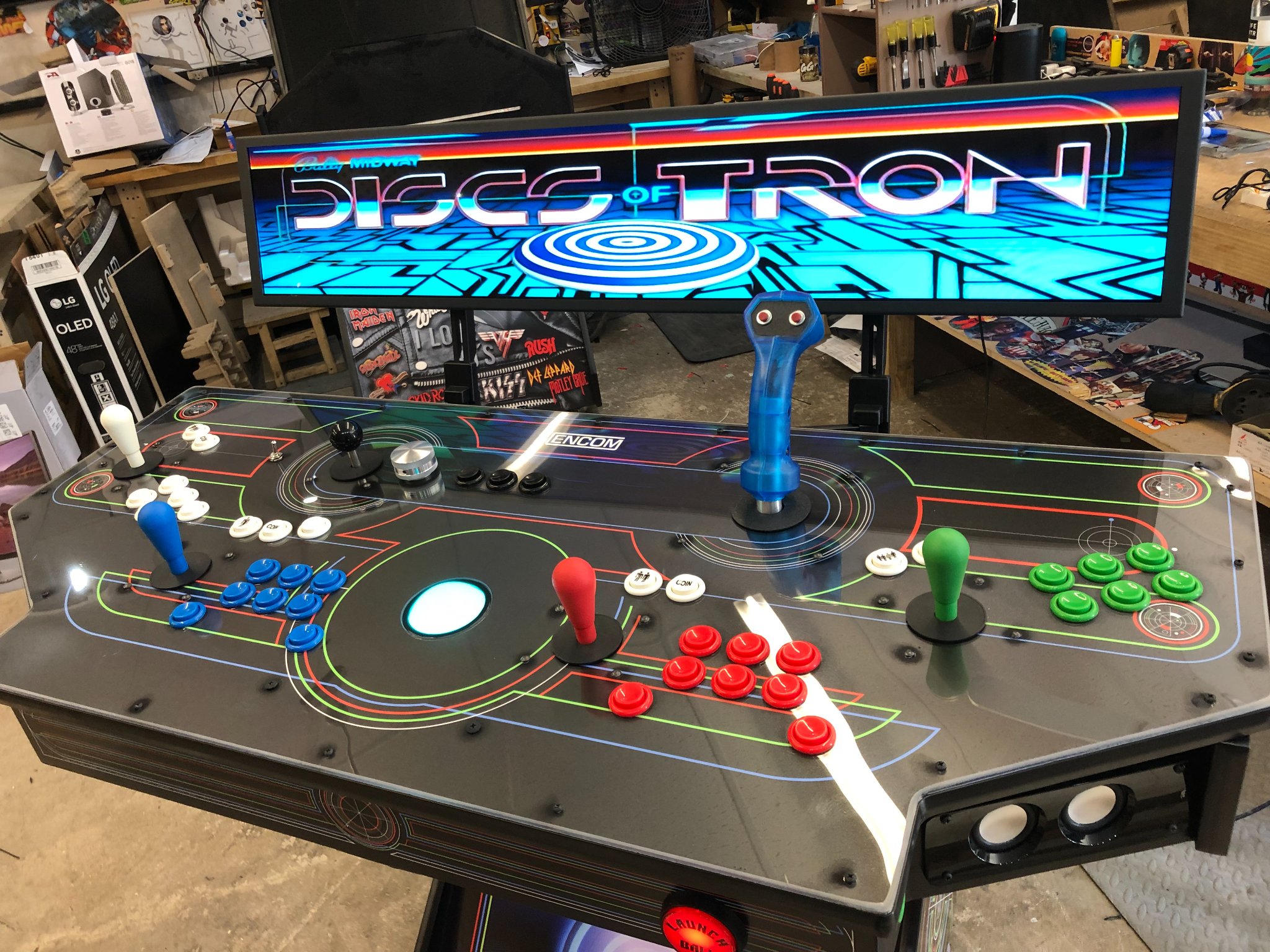
Notice in the previous photo above (the machine that says “Big Box” in the marquee - which has the battleship joystick/control panel) Player 1 and 2's buttons are in the standard configuration. In the photo below (Discs of Tron) the machine has a custom/Scantron button layout. Sometimes there is a modified Scranton layout where Button 7 is to the left, but button 8 is eliminated (this is an older style of the Scantron layout - this has been replaced with layout shown above).
In a custom/Scantron button configuration the button numbers are like this:
1 2 3
4 5 6
7 8
You have several options regarding lighting or not lighting your buttons on your joystick/control panel.
Non-Lighted/Standard Buttons - Standard buttons have no lighting but come in a variety of colors. Notice in the photo above (Discs of Tron) that the buttons are not lighted and are white, blue, red, and green. You can select what solid colors you would like your buttons to be.
Lighted Buttons - In contrast, look at 2 photos above (Big Box). Notice that these buttons are lighted and have a glow to them. These are lighted buttons. The lighted buttons cost extra but are popular.
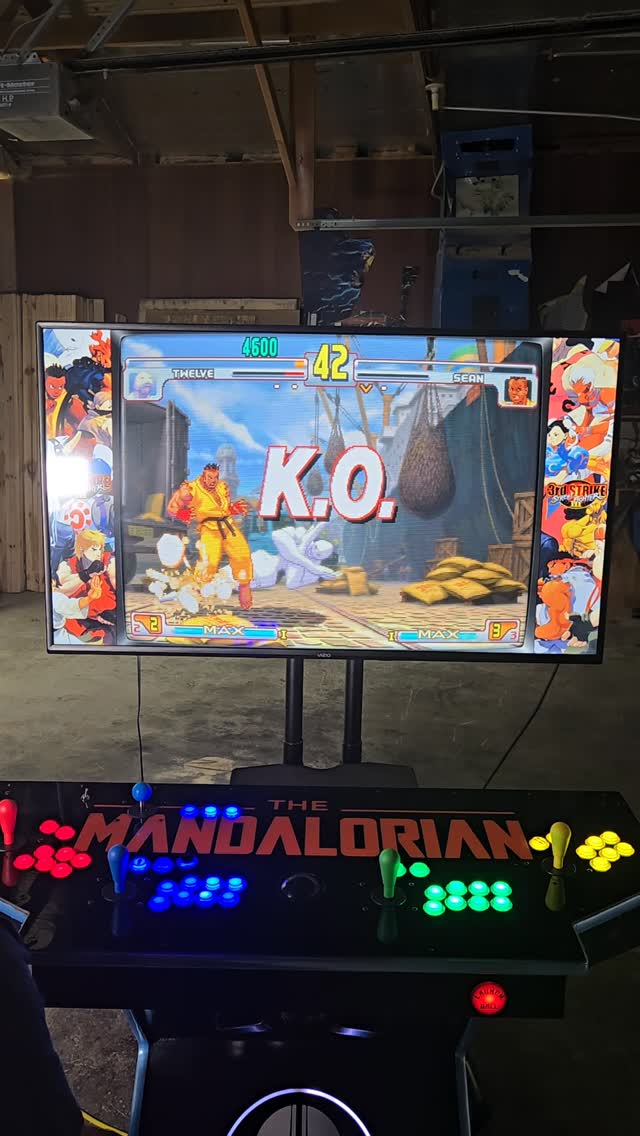
RGB LED Buttons and LED Blinky - You also have a choice of having RGB LED buttons. These can be programmed to have any color. This is done by using a program called LED Blinky. LED Blinky will “animate” your buttons by turning them off and on in different patterns and in different colors. You can use standard default settings (which EHA will do for you) or customize them yourself. A lot of people like the RGB and LED Blinky option. RGB buttons are an extra cost and LED Blinky requires a license (and a small fee). You can see a demonstration at: “LED Blinky intro animation demo” or www.ledblinky.net. RGB buttons are very popular. The “Megacade” photo (StarCastle machine) above has RGB buttons. LED Blinky is also another feature that sometimes requires some technical support from time to time.
You will want a plan for your buttons (what color and type for each player on your machine).
Customers have several choices regarding their joysticks for their joystick/control panel. Among others, you can select the non-lighted standard joysticks or for an additional cost, lighted joysticks. Again, this is personal preference. It important to note that all EHA joysticks are ARCADE quality. Some people note that the lighted joysticks (SANWA (ASIA) have a “looser” feels – that is, they have less spring to return to center. Standard, non-lighted joysticks (Happ, IL EURO) tend to have a “tighter” feel.
Note: Joystick feel and how a joystick performs can be a controversial issue.
Some users are very particular about their joysticks. You can work with EHA and have whatever joysticks you would like installed. Sometimes, depending on the type of joystick there is an additional cost. A photo of standard non-lighted joysticks are above (Discs of Tron). The sample earlier of a “Megacade” (StarCastle) has lighted joysticks.
If you get a standard joystick they come in a variety of colors, so you will want to plan for what color you would like them to be.
What joysticks you want are an important decision. If you get the lighted ones and they don't “feel” good to you there is not a lot you can do after you get your machine, since they are wired into your joystick/control panel.
Notice in the “Discs of Tron” photo above there is a black joystick to the left of the spinner. This comes standard with EHA’s machines (it is in almost every photo). It is a special 4-way joystick that is used for playing games like Pacman, Dig Dug and the other older arcade games of that era. Those games used 4-way and not 8-way joysticks. 8-way joysticks are the standard now. A 4-way joystick only goes up, down, left, right while an 8-way joystick also goes up, down, left, right but also diagonally – toward each corner. If this does not appeal to you – you can have EHA leave the 4-way joystick off and have less clutter on your joystick/control panel. Most customers leave them on, but it is debatable whether they get used much.
The trackball on your joystick/control panel can also be non-lighted (standard), lighted or RGB. The above sample of a GameBox (Gib's Arcade) has a non-lighted, standard trackball. You can get the standard trackball in a variety of colors. The photo above (Discs of Tron) has a lighted trackball.
You have the option of having a spinner on your joystick/control panel. Spinners are used in games like Tempest, Arkanoid, etc. Spinners come in different colors. Like anything else, some people like them and use them and some do not. It is optional whether you have a spinner (or multiple spinners) installed on your machine or not. Most customers have one spinner. You will notice that most of the machines in the photos in this section have a spinner.
A Tron Joystick/Flight Stick can be installed on your joystick/control panel (Discs of Tron and others). They also can come in different colors and can be lighted. However, a Tron stick on your joystick/control panel is controversial in the EHA community. As with anything else it is personal preference and there are advantages and disadvantages.
The advantage is that it is always there and if you are randomly playing games and come across a flying game or a game that would work well with a flight stick this it is great (Tron, Star Wars Battle Pod, Star Wars original game, etc.) An alternative to a permanent flight stick on your joystick/control panel is to have one that is standalone and just attaches with suction cups – like a steering wheel/pedal setup and you just plug it in when you need it. The downside of a stand alone joystick is that you have to find it, set it up, plug it in etc.
You can buy PC based flight sticks that have more buttons and more features than the Tron stick. The disadvantages of a permanent Tron/flight stick is that it is tall and some users feel that it blocks their sight of the TV– particularly on all upright machines including the Megacade. It doesn’t usually interfere with light gun use, but that is also a fear.
There really is no clear consensus in the EHA community on this issue. It comes down to personal preference.
You can do some great things with graphics on your joystick/control panel. It is particularly interesting when you can include the trackball into your design (see below in the “compass” design) or when you can make it blend in to your design “Star Wars” or “control panel” (see below).


EHA can install lighting under your joystick/control panel for an additional cost. They can also install lighting inside your cabinet where your machine’s computer is. This is very helpful since it is typically dark inside the cabinet - this makes it difficult to see if you have to access and work on your computer. Alternatively, you can add this yourself (rather inexpensively) later by purchasing some LED lights on Amazon. The “Pedestal” photo above shows under panel lighting.
Another option for your machine is to add a neon ring kick panel under your joystick/control panel for an additional cost. See photo below.

Another option is to add 1 or more coin doors under your joystick/control panel. This can give your machine authentic arcade machine look (see photo below). There is an extra cost for coin doors.

There are a variety of other options to consider for your machine.